
Everix inside
your data centre.
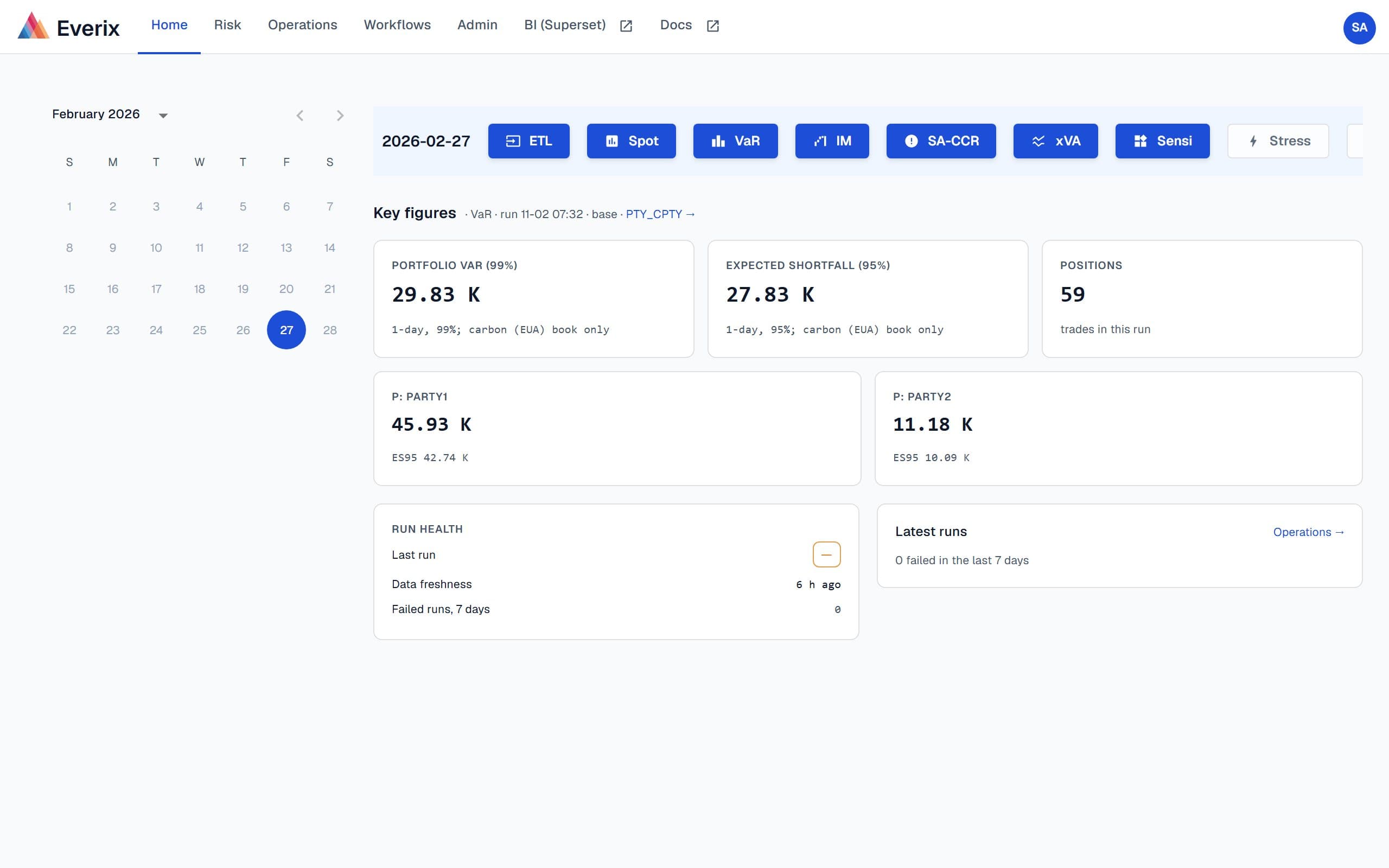
- Runs on
- Windows Server in your data centre
- Delivered as
- A versioned install pack with documentation
- Sign-in
- LDAP / Active Directory; other single sign-on on request
- Batch
- Authenticated calls from your enterprise scheduler
- Upgrades
- Scripted, rehearsed on a test copy first
- Offline
- Air-gapped pack with an offline licence check
Regulated banks that keep risk systems inside their own perimeter.
- Everix XVA has run on-premises at a European financial institution since 2018
- Banks whose security policy keeps risk data and batch processing on servers they operate
- IT operations teams that run Windows Server, Active Directory and an enterprise scheduler
- Institutions that want every release as a numbered, documented pack they can test before production
- Existing Everix installations moving to the current version
Typical use case
Nightly counterparty risk inside a bank's perimeter
After trade and market data close, the bank's scheduler starts the Everix batch. XVA and exposures are computed on servers the bank operates; risk managers read the results in the Everix web application and the bank's own reporting tools.
- Batch started by your scheduler, not by a person at a keyboard
- Users sign in with their directory account; roles come from directory groups
- Each new version is compared with the previous one on your own portfolio before it reaches production
Delivery and upgrades
A numbered pack, a documented install, a rehearsed upgrade.
Each release is a numbered pack your team can archive, test and keep. Upgrades are rehearsed before they reach production.
- 01
Versioned pack
Each release is a numbered pack: the application, configuration templates and the installation and operations guides.
- 02
Install
A scripted installation on your Windows servers, by your team or ours, following the guide for that version.
- 03
Rehearse
Before an upgrade reaches production, it is installed on a test copy and the results are compared with the previous version.
- 04
Upgrade
A scripted upgrade with data migration, in the window you choose, including upgrades from earlier Everix versions.
Security and data residency
Inside your perimeter, under your controls.
On-site, Everix uses your directory, your scheduler, your certificates and your backups.
Your data centre
Data and processing stay on servers you operate. Nothing is sent to an Everix-hosted service.
Your directory
Users sign in with LDAP / Active Directory, and roles come from your directory groups. Microsoft Entra ID, SAML or OIDC single sign-on on request.
Secured batch calls
Calls from your scheduler to the batch service are authenticated, with an administrator opt-out.
Audit trail and backups
Trade, administration, API and licence events go to an audit log. Your backup system; we document what to back up and how to restore it.
What Everix On-site includes
- Value at risk
- XVA: CVA, DVA, FVA, LVA
- MVA and KVAEarly access
- SA-CCR
- ISDA SIMM™ initial marginOn request
- Sensitivities and what-if
- FRTB-SA (CRR3 market risk)Early access
- Risk data martOn request
- Read-only MCP server and API
- IFR/IFD K-factors and own funds
- EBA xBRL-CSV reporting (IFR)
- ACPR (France) national checks
- DORA Article 30 contract clausesOn request
Support
Everix quants and engineers support the installation, each upgrade and your incidents, with response times agreed in your contract. Vendor-review documents (software bill of materials, questionnaire answers, DORA Article 30 clauses) are available on request.
Frequently asked questions
Is it the same product as Everix Private Cloud?+
Yes: the same engine and the same modules. Everix On-site runs on Windows Server in your data centre; Everix Private Cloud runs in your cloud account or on Everix hosting.
Can it run on Kubernetes?+
Everix On-site installs on Windows Server. To run Everix on your own Kubernetes cluster, choose Everix Private Cloud: the same engine and modules, deployed with Helm and set up on request.
Does it need an internet connection?+
No. The licence is checked offline, and the installed application does not depend on an Everix-hosted service. An offline pack installs with no outbound access at all.
How do upgrades work?+
Each release is a numbered pack. The upgrade is scripted, including data migration from earlier Everix versions, and is rehearsed on a test copy of your installation before production.
Which identity systems are supported?+
LDAP / Active Directory sign-in is included: users sign in with their directory account, and roles are mapped from your directory groups. Microsoft Entra ID, SAML or OIDC single sign-on is set up on request.
Is ISDA SIMM included?+
ISDA SIMM initial margin is an optional add-on, not part of the default package. Using it requires an ISDA SIMM licence.
Planning an installation or an upgrade?
Tell us about your servers, your scheduler and your security rules. We will walk you through the pack, the documentation and the upgrade rehearsal.